US ag-tech company · Controlled-environment agriculture
Precision agriculture app
Substrate sensor hardware, precision irrigation and crop management for indoor growing, brought into a single Flutter app. Designed from nothing: tokens, components, screens, prototypes and the interaction spec the Flutter team built against.
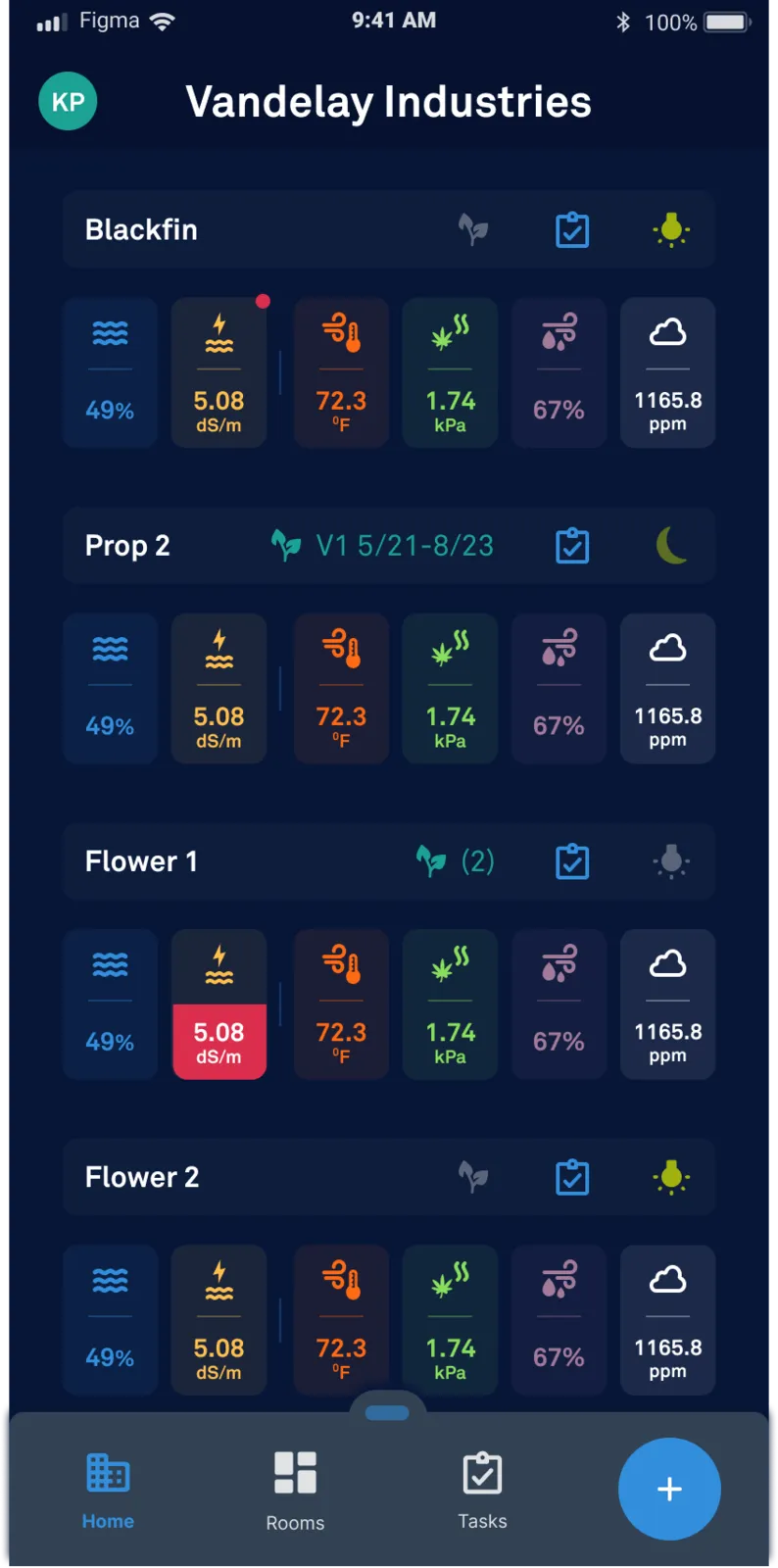
- One row, one room
- Moisture, EC, temperature, VPD, humidity and CO₂ in a fixed order, so the row is scanned rather than read.
- Out of range
- The failing metric fills rather than merely tints — readable in bright rooms and without colour vision.
- Crop state
- Harvest group, task and lighting sit on the room header, where a grower looks first.
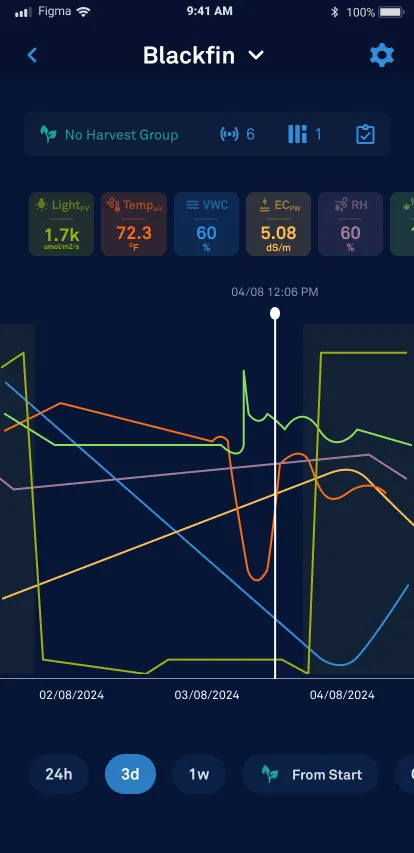
- Same six metrics
- Pinned above the chart in the order used on the facility view, so nothing has to be relearned on entry.
- Scrubbed history
- A dragged line reads exact values at a moment; 24h, three-day, week and from-start windows sit under the thumb.
- Dark by default
- Contrast pairs were set for low-light grow rooms, then verified against the same tokens in daylight.
The problem
Growers were reading hardware, not crops.
Substrate sensors, irrigation controllers and crop records each had their own tool and their own vocabulary. A grower deciding whether to irrigate a room had to hold three readings in their head and translate between units, in a building where they are standing up, gloved, and in a hurry.
The data was not the constraint. Density was: everything mattered, nothing could be hidden behind a tab, and the screen had to be legible at arm's length.
The approach
One room, one row, one glance.
The facility view reduces each room to a single line that answers the only question being asked on the floor: is this room within range. Detail lives one level down, in a room view that keeps the same reading order so the eye does not have to relearn the layout.
Status is carried by value and label as well as colour, so the system holds up in bright rooms and for colour-blind users. Contrast and content sizing were checked at token level, before any screen was drawn.
What shipped
- Token set
- Colour, type, spacing and state tokens defined for Flutter theming, with contrast pairs fixed at definition time.
- Component library
- Data rows, gauges, range indicators, irrigation controls and empty states, each with an interaction spec.
- Screen set and prototypes
- Facility, room, crop and device flows, prototyped for review before the build committed.
- Style guide in-file
- Left inside the Figma file so new engineers and designers could onboard without a walkthrough.